ios-map-ui
Using Swift to create Maps while minimizing reliance on storyboards
Explore the project at github.com/roblabs/ios-map-ui
Mapbox Starter
A starter project for Mapbox maps in iOS
Features
- A starter Mapbox project built off the steps documented at https://www.mapbox.com/install
- Built using Carthage
brew install carthage- Install by running
carthage update
Made with Xcode Version 9.1 (9B55), and Swift 4- Updated for Xcode Version 10.3 (10G8) and Swift 5
How to Use
- Add a
MGLMapboxAccessTokenkey to theInfo.plist.
Screen Shots
Initial zoom and center
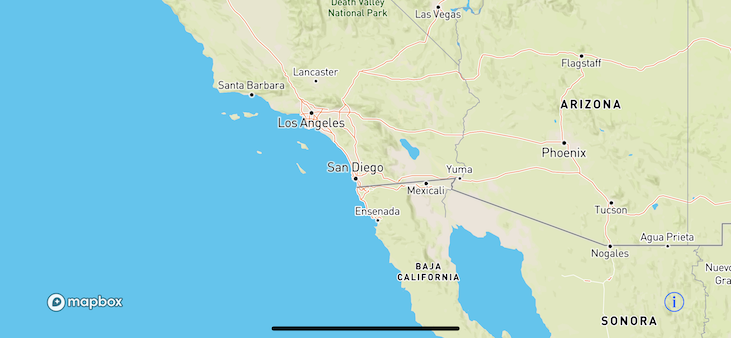
Storyboard
- Built using the option Add with code, so no storyboard was used in this demo. Adding it for reference.

Empty Storyboard; all views added via code

Mapbox-UIBarButton
A Mapbox map with UIBarButtonItem added using Swift, with minimal use of the storyboard.
Features
- Built upon Mapbox Starter
- Made with Xcode Version 9.1 (9B55), and Swift 4
- Added
UIBarButtonItemand code handlers to take action when they are clicked.override func viewDidLoad() { super.viewDidLoad() // MARK:- UIBarButtonItem self.navigationItem.leftBarButtonItem = UIBarButtonItem( barButtonSystemItem: .search, target: self, action: #selector(handleLeftBarButton)) self.navigationItem.rightBarButtonItem = UIBarButtonItem( barButtonSystemItem: .action, target: self, action: #selector(handleRightBarButton)) }
Screen Shots
Initial zoom and center
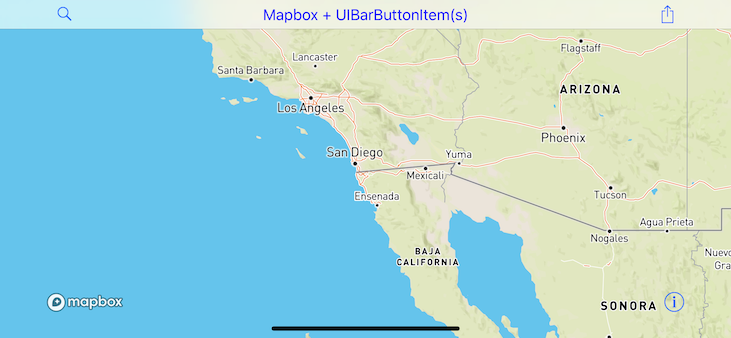
Storyboard
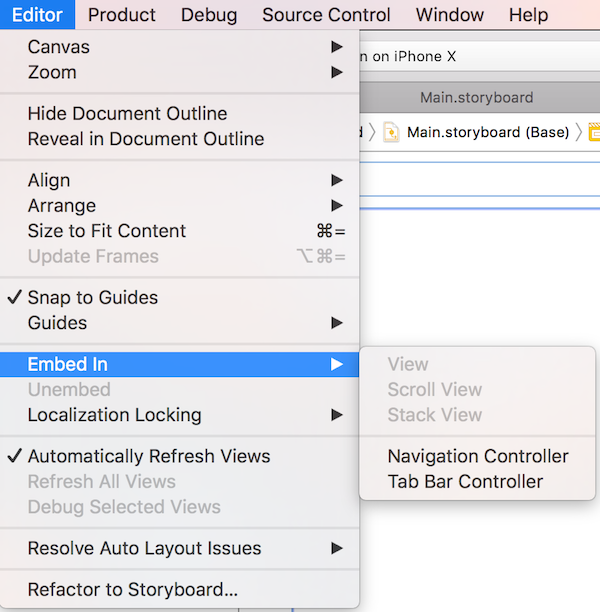
- Added a UINavigationBar, which is done by Embedding the view controller in Navigation Controller
- Click your view controller
Editor>Embed In>Navigation Controller

Mapbox-Search
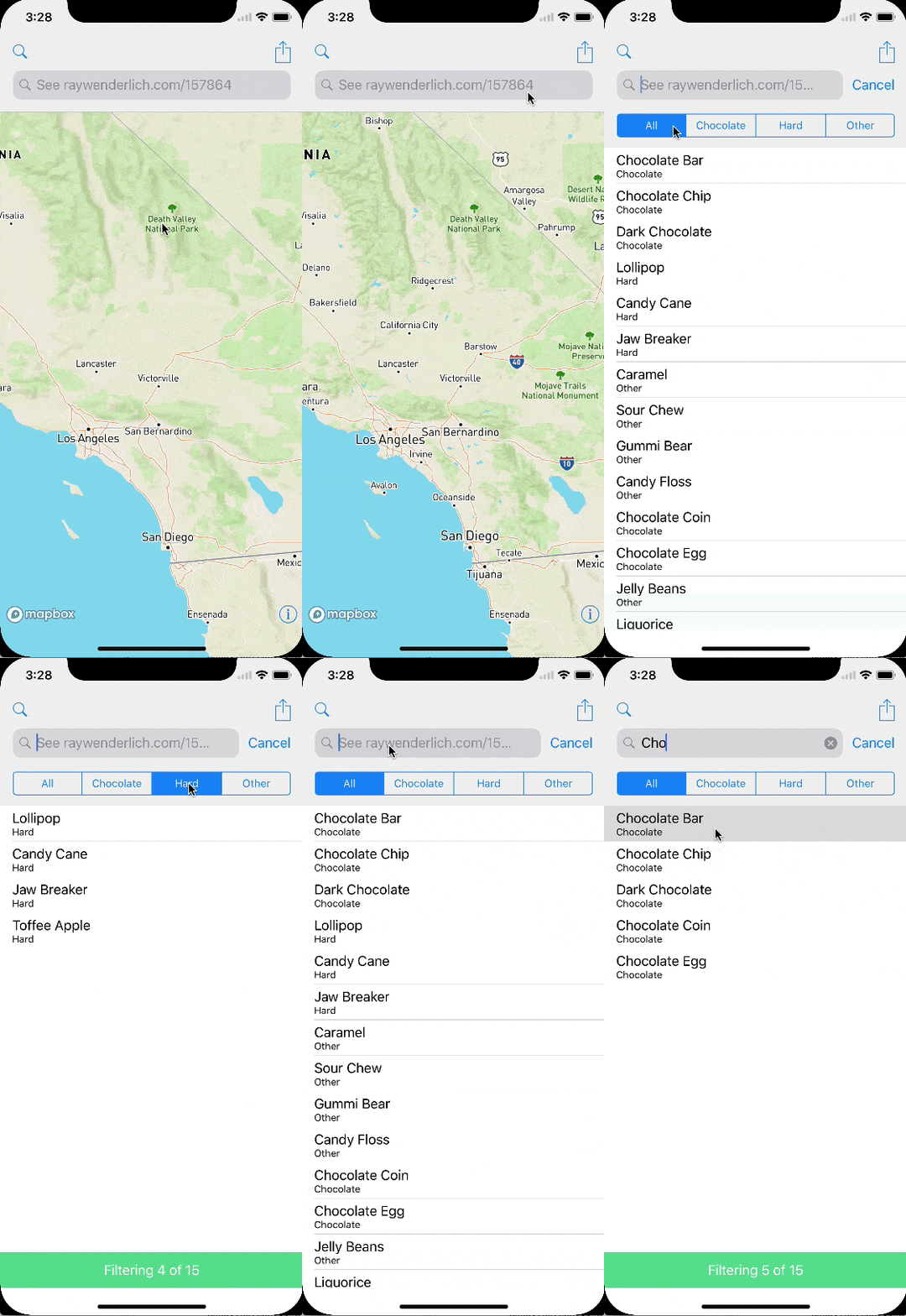
A Mapbox map with UISearchBar added using Swift, with minimal use of the storyboard.
Features
- Built upon Mapbox UIBarButtonItem
- Made with Xcode Version 9.1 (9B55), and Swift 4
- Mapbox map disappears when searching and a
UITableViewpops up with filtered search results - The Search portion is based on the tutorial called UISearchController Tutorial: Getting Started from RayWenderlich.com. Please see the license file in each file for information.
- Integrating
UISearchControlleris a mixture of Storyboards and Swift code. - Based on event handlers for when the search is started or ended, the Mapbox
mapViewis hidden or displayed.
Screen Shots
Storyboard

MapKit Starter
To make a MapKit view without a storyboard
- In
Info.plist, delete the keyMain Storyboard file base name - Be sure to add the Maps Capability in Project > Capabilities
-
In your
AppDelegate.swift, ``` func application(_ application: UIApplication, didFinishLaunchingWithOptions launchOptions: [UIApplication.LaunchOptionsKey: Any]?) -> Bool {window = UIWindow(frame: UIScreen.main.bounds)
if let window = window { window.backgroundColor = UIColor.white window.rootViewController = ViewController() window.makeKeyAndVisible() }
return true } ```